
 Image 1 of 2
 Image 2 of 2
Pre-Order & Shipping Notice
All release dates are based on the official South Korean release date. Our albums are Korean editions and may differ from U.S. retail versions in packaging, photocard inclusions, and other album benefits.
Pre-order items will be shipped once they arrive at our U.S. facility. Estimated shipping times (2–5 business days) begin from the actual shipping date, not the Korean release date.
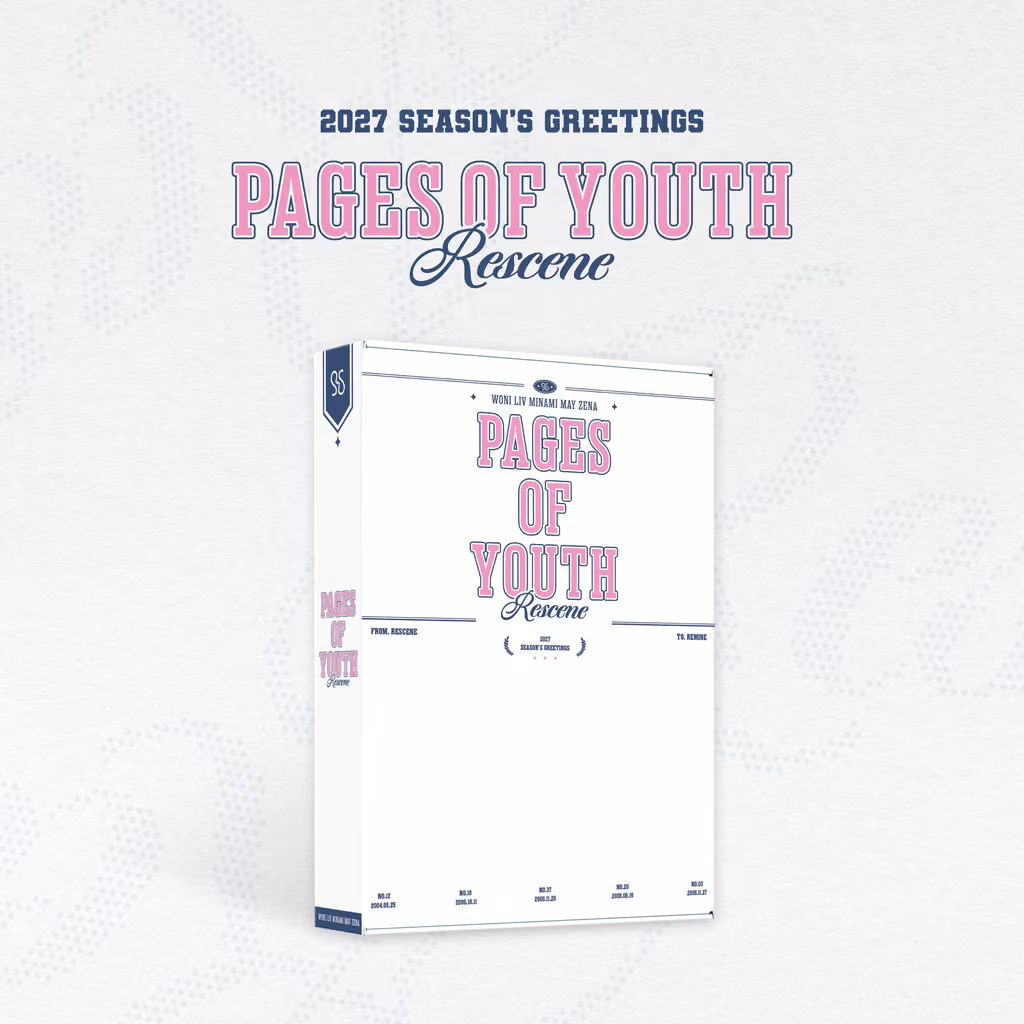
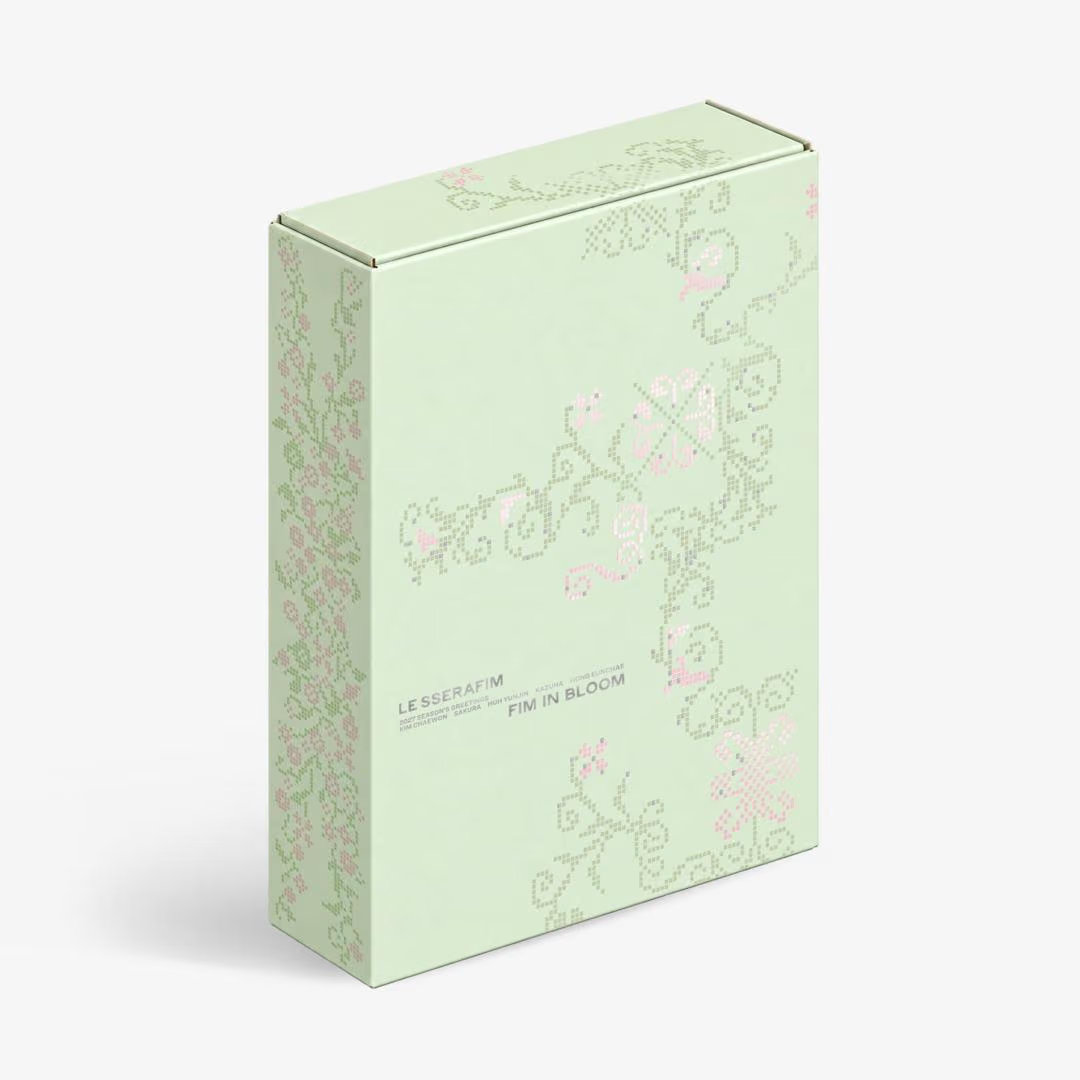
PRODUCT: LE SSERAFIM 2027 SEASON'S GREETINGS
Release Date ∙ 2026. 12. 08(KST)
- OUTBOX Size : 173x235x55mm
*This box serves as protective material for the product, and exchanges or refunds due to contamination or damage that may occur during distribution are not allowed.
1. PHOTOBOOK
Size : 170x230mm ㅣ110p
2. DESK CALENDAR
Size : 232x165mmㅣ14 months
3. SCHEDULER
Size : 120x170mmㅣ160p
4. BLOOM PHOTO SET
ENVELOPE Size : 155*105mm
4-1. ID PHOTO
Size : 35x45mmㅣ5ea 1set
4-2. 4-CUT PHOTO
Size : 50x150mmㅣ2ea 1set
4-3. POSTCARD
Size : 100x150mmㅣ2ea 1set
5. PHOTOCARD SET
BOX Size : 58x88x8mm
Size : 55x85mmㅣ16ea 1set
6. STICKER SET
Size : 70x120mmㅣ5ea 1set
7. FOLDED POSTER
Size : 220x330mmㅣ6ea 1set
8. MINI POUCH
METAL O-RING Size : ⌀20mm
MINI POUCH Size : 100x80mm
9. DIGITAL CODE SET
SILVER CHAIN Size : 100mm
DIGITAL CODE (NFC VER.) Size : 20x20mm| About 30mins
PAPER Size : 75x130mm
*DIGITAL CODE contains an NFC chip inside.
*This product is minor specks, parting lines, and other natural occurrences from the production process are not considered defects.
[LE SSERAFIM 2027 SEASON'S GREETINGS] Video Viewing Guide
Watch the video (VOD) using the digital code included in the package.
'Digital Code' is a service for watching high-definition VOD on Weverse. Register the digital code included with the product to watch the video.
[How to Use the Digital Code]
- MOBILE
*QR code : Scan the QR code with your smartphone's default camera app to access the digital code registration website (coupon.weverse.io/code/dc) Register the code to watch the video in the Weverse app.
Digital code number : Open the digital code registration website (coupon.weverse.io/code/dc) in a web browser and enter the digital code number at the bottom to watch the video in the Weverse app.
NFC : Tap the NFC-enabled digital code against your smartphone's NFC scanning area to access the digital code registration website (coupon.weverse.io/code/dc) Register the code to watch the video in the Weverse app.
- PC
*In the [Enter Digital Code] menu under Global More on the Weverse website for PC, enter the digital code number at the bottom to watch the video.
Open the digital code registration website (coupon.weverse.io/code/dc) in a web browser and enter the digital code number at the bottom to watch the video on Weverse.
*For NFC-enabled digital codes, complete registration on a mobile device, then watch the video under [More > Media Purchase History > Digital Code].
- TV
*Register the digital code on the digital code registration website (coupon.weverse.io/code/dc) or the Weverse website for PC, then use Apple AirPlay or Google Chromecast from the video player in the Weverse mobile app to watch the video on a TV.
※ A Weverse account is required to watch the video.
※ Only one code can be registered and used per account. Once a code has been registered, its registration cannot be canceled, and it cannot be registered to another account.
※ Please note that purchase history cannot be restored if you delete your Weverse Shop/Weverse account.
※This product is made with Forest Stewardship Council (FSC)-certified paper and printed using readily biodegradable soy-based ink.
※ The size and contents may change due to the manufacturer's circumstances. Thank you for your understanding.
※ Due to the nature of the materials, cracking, discoloration, and color transfer may occur.
※ This item is non-returnable. Only defective items are eligible for a one-for-one exchange.
Pre-Order & Shipping Notice
All release dates are based on the official South Korean release date. Our albums are Korean editions and may differ from U.S. retail versions in packaging, photocard inclusions, and other album benefits.
Pre-order items will be shipped once they arrive at our U.S. facility. Estimated shipping times (2–5 business days) begin from the actual shipping date, not the Korean release date.
PRODUCT: LE SSERAFIM 2027 SEASON'S GREETINGS
Release Date ∙ 2026. 12. 08(KST)
- OUTBOX Size : 173x235x55mm
*This box serves as protective material for the product, and exchanges or refunds due to contamination or damage that may occur during distribution are not allowed.
1. PHOTOBOOK
Size : 170x230mm ㅣ110p
2. DESK CALENDAR
Size : 232x165mmㅣ14 months
3. SCHEDULER
Size : 120x170mmㅣ160p
4. BLOOM PHOTO SET
ENVELOPE Size : 155*105mm
4-1. ID PHOTO
Size : 35x45mmㅣ5ea 1set
4-2. 4-CUT PHOTO
Size : 50x150mmㅣ2ea 1set
4-3. POSTCARD
Size : 100x150mmㅣ2ea 1set
5. PHOTOCARD SET
BOX Size : 58x88x8mm
Size : 55x85mmㅣ16ea 1set
6. STICKER SET
Size : 70x120mmㅣ5ea 1set
7. FOLDED POSTER
Size : 220x330mmㅣ6ea 1set
8. MINI POUCH
METAL O-RING Size : ⌀20mm
MINI POUCH Size : 100x80mm
9. DIGITAL CODE SET
SILVER CHAIN Size : 100mm
DIGITAL CODE (NFC VER.) Size : 20x20mm| About 30mins
PAPER Size : 75x130mm
*DIGITAL CODE contains an NFC chip inside.
*This product is minor specks, parting lines, and other natural occurrences from the production process are not considered defects.
[LE SSERAFIM 2027 SEASON'S GREETINGS] Video Viewing Guide
Watch the video (VOD) using the digital code included in the package.
'Digital Code' is a service for watching high-definition VOD on Weverse. Register the digital code included with the product to watch the video.
[How to Use the Digital Code]
- MOBILE
*QR code : Scan the QR code with your smartphone's default camera app to access the digital code registration website (coupon.weverse.io/code/dc) Register the code to watch the video in the Weverse app.
Digital code number : Open the digital code registration website (coupon.weverse.io/code/dc) in a web browser and enter the digital code number at the bottom to watch the video in the Weverse app.
NFC : Tap the NFC-enabled digital code against your smartphone's NFC scanning area to access the digital code registration website (coupon.weverse.io/code/dc) Register the code to watch the video in the Weverse app.
- PC
*In the [Enter Digital Code] menu under Global More on the Weverse website for PC, enter the digital code number at the bottom to watch the video.
Open the digital code registration website (coupon.weverse.io/code/dc) in a web browser and enter the digital code number at the bottom to watch the video on Weverse.
*For NFC-enabled digital codes, complete registration on a mobile device, then watch the video under [More > Media Purchase History > Digital Code].
- TV
*Register the digital code on the digital code registration website (coupon.weverse.io/code/dc) or the Weverse website for PC, then use Apple AirPlay or Google Chromecast from the video player in the Weverse mobile app to watch the video on a TV.
※ A Weverse account is required to watch the video.
※ Only one code can be registered and used per account. Once a code has been registered, its registration cannot be canceled, and it cannot be registered to another account.
※ Please note that purchase history cannot be restored if you delete your Weverse Shop/Weverse account.
※This product is made with Forest Stewardship Council (FSC)-certified paper and printed using readily biodegradable soy-based ink.
※ The size and contents may change due to the manufacturer's circumstances. Thank you for your understanding.
※ Due to the nature of the materials, cracking, discoloration, and color transfer may occur.
※ This item is non-returnable. Only defective items are eligible for a one-for-one exchange.